

How can we help?
-
Announcements
- Introducing Just Naturism Stories
- Introducing One-Page Photo Browsing for Paid Members!
- One Year Subscription is Back
- Filters For Online Users
- Photo Rotation - Phase 3 -
- Post's Date & Time!
- Verified Females Claim Your Gift! (This Offer has been Expired)
- Webcams in the chatroom
- User verification via webcam is available!
- Photo Rotation - Phase 2 -
- Transfer Your Paid Subscription From Just Nudism to Just Naturism
-
FAQs
- Where does Just Naturism store my verification photos?
- How Can I Upload a Single Photo Without Creating an Album?
- How Can I Change My Email Address?
- How Can I Change My Username?
- How can I download my data on Just Naturism?
- How Can I Upload a Video File?
- How do you process my data and how long is it retained?
- How Do I Change My Password?
- How Do I Delete My Account?
- The Settings Of The Community Page
- Email Digest
- Messenger Group Chat
- Flags and reports
- How does it work?
- Photos and videos moderation
-
Subscription
< All Topics
Print
How Do I Change My Password?
Posted
Updated
ByJustNaturism
Changing your password on Just Naturism is very easy.
What do I need to do to change my password?
- Go to account settings
- Select the account Tab!
- Enter your current password!
- Then enter your new password, and hit the save button!
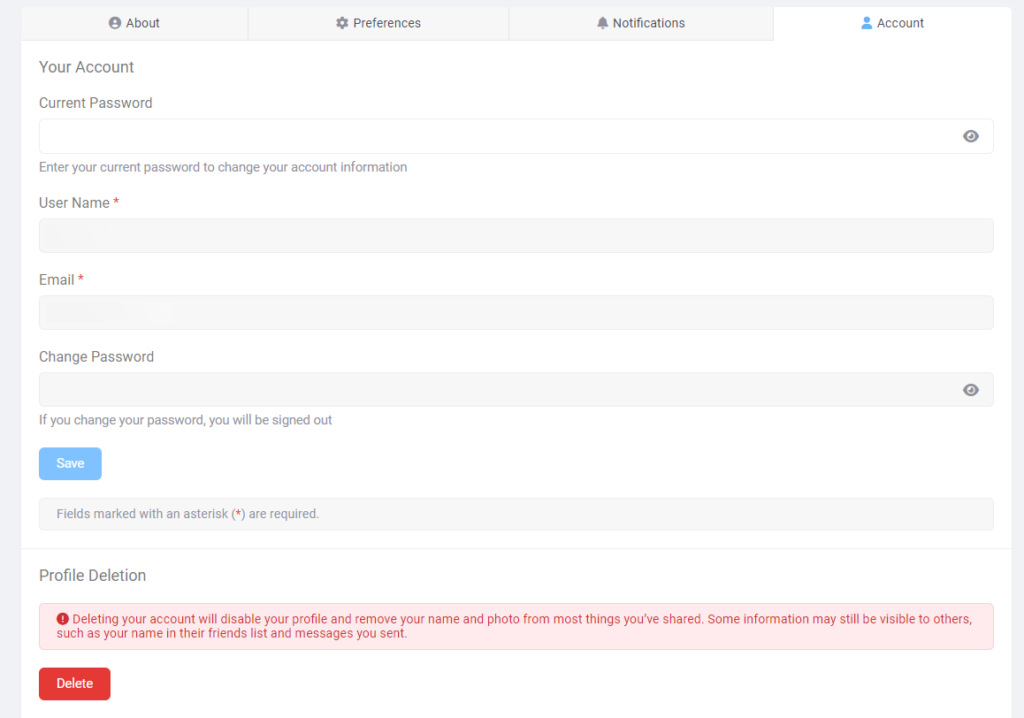
Table of Contents